

Keep the record. Keep control.
Start tracking on your device, use core tracking offline and choose when to connect an account. Livona gives you controls for exports, deletion and optional usage analytics.
Download on theApp Store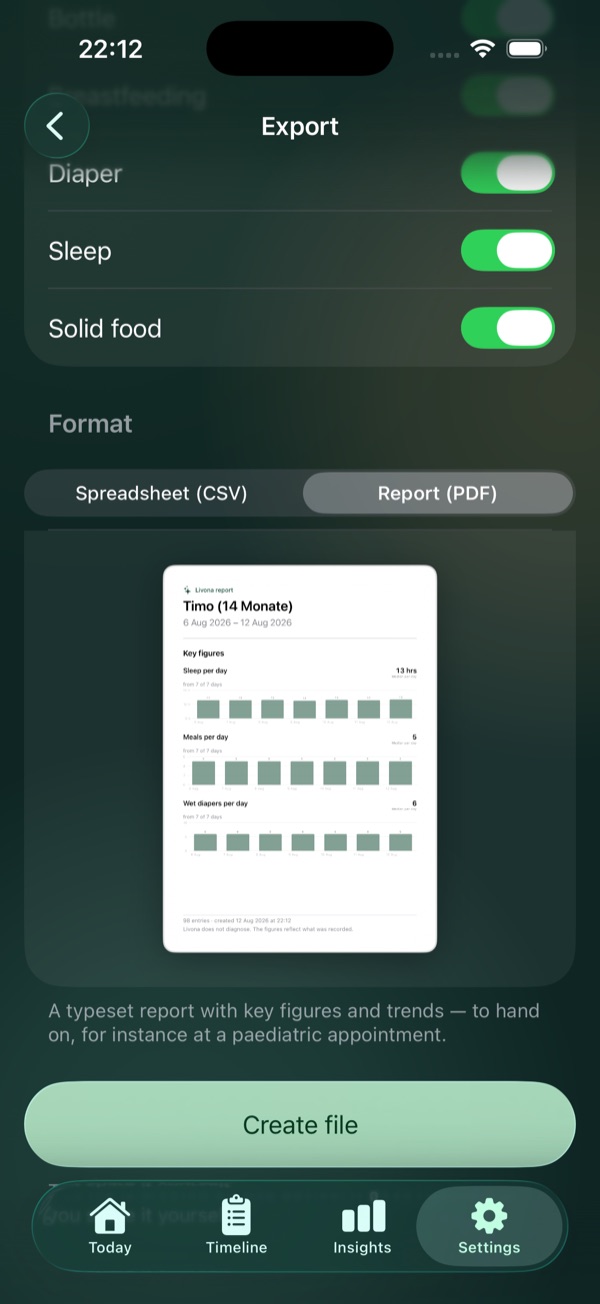
Take the part of the diary you need.
Select a time range and categories before creating a file. CSV gives you tabular data; Premium adds PDF reports with a preview before you share them.
- Seven days, 30 days, all entries or a custom period
- Choose the entry types to include
- CSV data export and Premium PDF reports
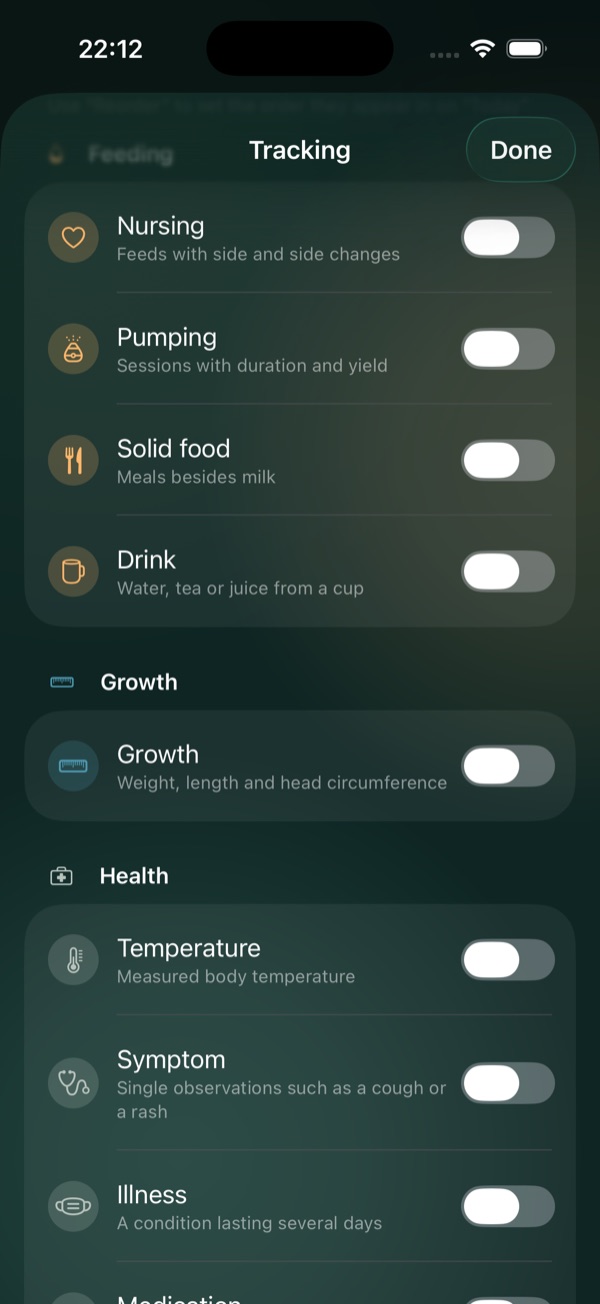
Make room for what matters to you.
Customize which tracking types you use, manage your household and find your data controls in Settings. Tracking can begin locally; connecting an account is a separate step.
- Enable the tracking types you need
- Manage your child profiles and household
- Export, deletion and analytics controls in Settings
Good to know.
Keep exploring.
Growth & milestones
Weight, height, head circumference, percentile charts and 77 developmental milestones.
Explore featureHealth
Temperature, symptoms, medication, vaccinations and appointments with your own notes.
Explore featureFamily Sync
Invite a second caregiver with Premium and continue in the same timeline.
Explore featureEvery little moment
becomes part of the story.
Livona is now available for iPhone. Thoughtfully made for the moments that matter.
Download on theApp Store