

Log by text, voice and Siri
Log by text, voice and Siri
“Drank 150 ml at 12:30, then a wet diaper” – type, tap the microphone and speak, or use Siri. Livona suggests entries, you confirm. Free.
Download on theApp Store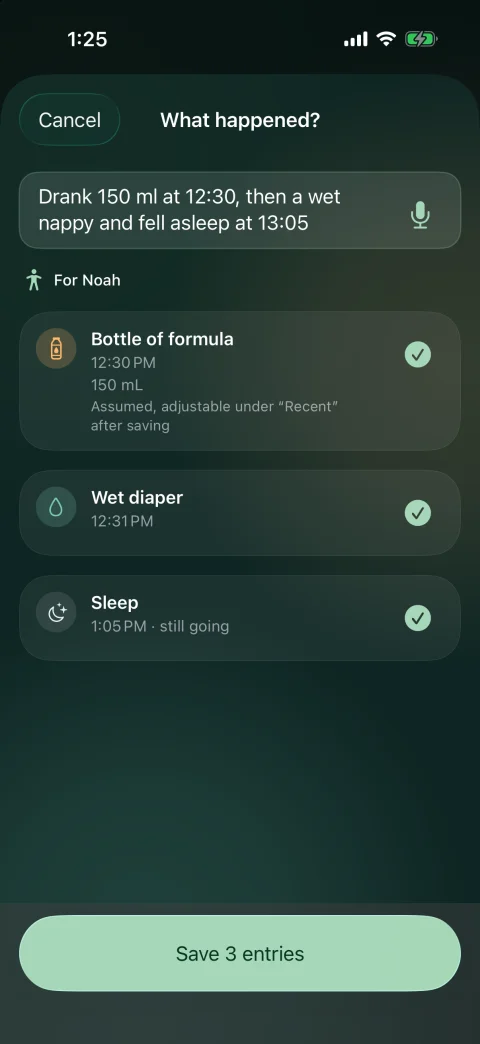
Good to know.
Explore Livona
Keep exploring.
Health
Temperature, symptoms, medication, vaccinations and appointments with your own notes.
Explore featureFamily Sync
Invite a second caregiver with Premium and continue in the same timeline.
Explore featurePrivacy & exports
Local tracking, selected exports and controls for your own data.
Explore featureA calmer way to knowEvery little moment
Every little moment
becomes part of the story.
Livona is now available for iPhone. Thoughtfully made for the moments that matter.
Download on theApp Store